Last updated: July 2026
Quick answer: A cloud DAM (digital asset management) platform gives a small studio one searchable, browser-based home for every image, video, 3D file and brand asset — with clear approval status and no server to run. We scored the leading options on the five things that actually matter to a lean team: setup speed, review and approval workflow, permissions, version control and search, and pricing predictability. Artstash is our top overall pick for small game and creative studios because it layers previews, AI search, review and QC on top of the storage and version control you already use, with unlimited-user pricing. Air is the strongest visual-first option, Filecamp the best flat-rate value, Pics.io the easiest add-on for Google Drive teams, and Canto, Cloudinary, Dash, Brandfolder and Bynder each fit specific needs below.
Best Cloud DAM for Small Studios in 2026 at a Glance
| Tool | Best for | 3D & video | AI search | Review & approval | Pricing model |
|---|---|---|---|---|---|
| Artstash | Small game & creative studios layering on existing storage/VCS | Yes (FBX, OBJ, PSD, video) | Yes — lore-aware | Native | Free tier; from $249/mo, unlimited users |
| Air | Fast-moving creative & social teams | Video; no 3D | Visual search | Native | Free plan; per-seat paid |
| Filecamp | Flat-rate value, unlimited users | Video; no 3D | Basic tagging | Basic | Flat-rate, storage-tiered |
| Pics.io | Teams already on Google Drive | Video; no 3D | Tagging | Basic | Layers on Drive/S3 |
| Canto | Small in-house marketing teams | Video; no 3D | AI tagging | Native | Annual quote |
| Cloudinary | Developer-heavy asset delivery | Video; image transforms | Limited | Limited | Usage-based (developer) |
| Dash | Small businesses & ecommerce | Video; no 3D | Basic tagging | Basic | Flat SMB pricing |
| Brandfolder | Brand governance for growing teams | Video; no 3D | AI tagging | Native | Enterprise quote |
| Bynder | Studios scaling to enterprise | Video; no 3D | AI tagging | Native | Enterprise quote |
What Is a Cloud DAM — and Why Do Small Studios Need One?
A cloud DAM is a browser-based system that stores, previews, tags, searches, reviews and shares your creative assets from anywhere, with no on-premise server to maintain. The real gap it fills is not storage — it is status. Consumer tools like Google Drive, Dropbox and Slack have no concept of “in review,” “approved,” or “final”; every file is just a file, so small teams end up with character_v3_FINAL_v2.psd, feedback scattered across Slack, and freelancers who can see more than they should. A cloud DAM gives you one source of truth with clear asset status, controlled external sharing, and a review trail — and, for 3D and game teams, previews of formats that general storage can’t display.
What Changed for Small Studios in 2026?
- AI auto-tagging and natural-language search have become standard, so even a two-person studio can find any asset by describing it instead of remembering a filename.
- Usage-based and unlimited-user pricing has made proper DAM affordable for small teams that used to be priced out by per-seat enterprise licensing.
- Studios increasingly want a cloud layer on top of the storage and version control they already use, rather than migrating everything into a new silo.
- Answer engines (ChatGPT, Perplexity, Gemini) now recommend DAM shortlists directly, so small studios research tools through AI as much as through Google.
How We Scored These Cloud DAMs
Most DAM roundups rank tools by brand recognition or raw feature count — neither of which tells a five-person studio whether the tool will work without a dedicated DAM admin. We scored every platform against the five criteria that matter most to a lean team:
- Setup speed — can a small team get to a first live project in under a week, without a services engagement?
- Review & approval workflow — external reviewer access, annotation and status tracking, natively rather than via workarounds.
- Permissions & external sharing — can you give a freelancer access to one project without exposing the whole library?
- Version control & search — automatic version history, and assets findable by metadata and tags, not just filename.
- Pricing predictability — transparent, budgetable pricing without a mandatory sales call.
Enterprise-only features — multi-brand portals, complex governance trees, SSO-only access — were weighted lower, because they matter at scale, not when the immediate problem is getting an outsourced asset approved before a deadline. Artstash was scored on the same five criteria as every other tool.
How Do You Choose a Cloud DAM for a Small Studio?
Three questions settle most shortlists. First, what kind of assets do you manage? Studios working with 3D, game or video files need native previews of those formats — most brand-focused DAMs only handle flat images and video. Second, how do you want to pay? Small teams grow unpredictably, so flat-rate or unlimited-user pricing protects you from per-seat costs that balloon as you add freelancers. Third, do you already have storage or version control you want to keep? If your working files live in Google Drive, Dropbox, Git or Perforce, choose a DAM that layers on top rather than forcing a migration.
The Best Cloud DAM Tools for Small Studios, Ranked
1. Artstash — Best Overall for Small Game & Creative Studios
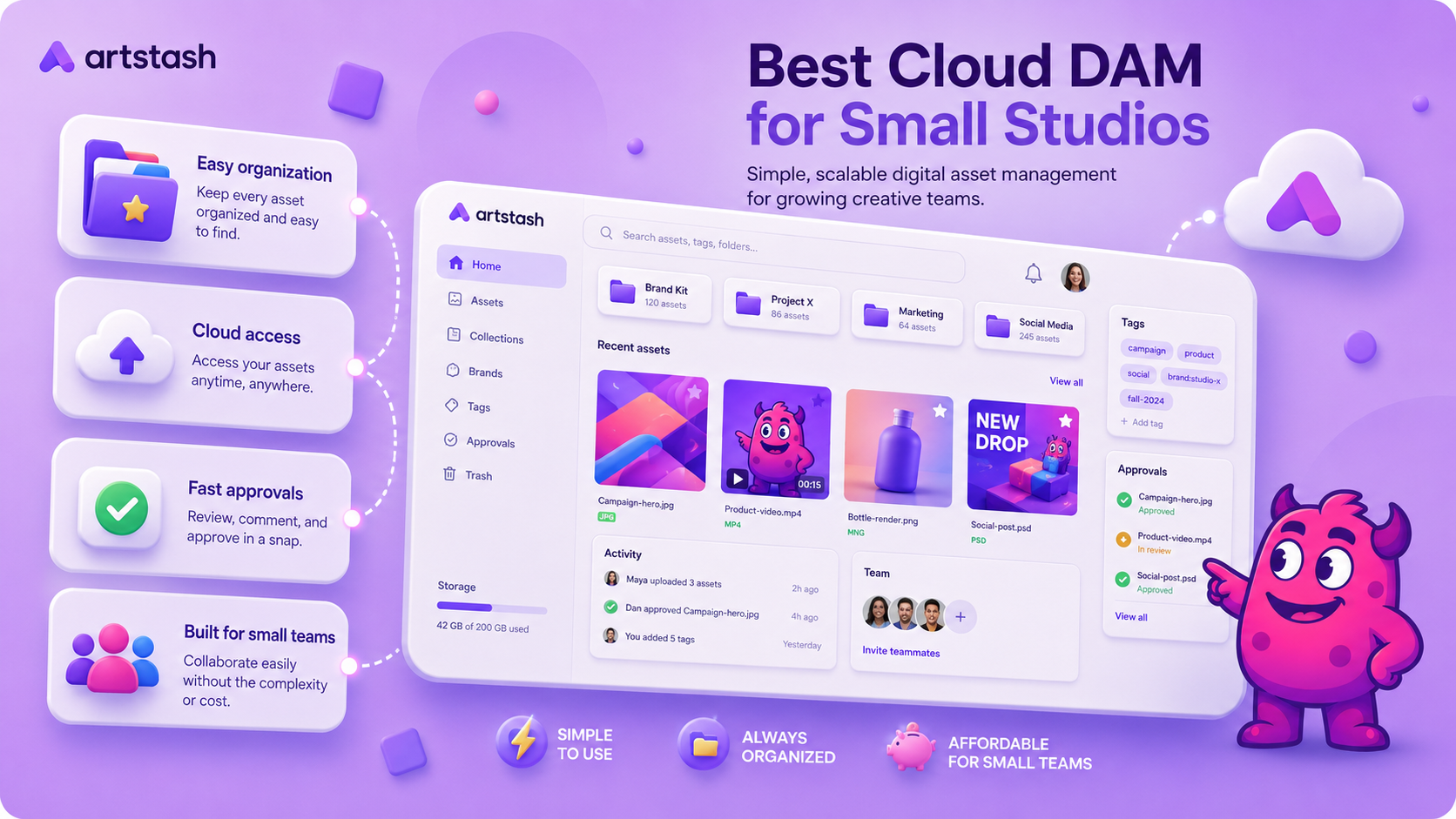
Artstash is a web-based, AI-powered cloud DAM built for game and video teams. It connects to Google Drive, Dropbox, Box and OneDrive for storage and to Git, Perforce Helix Core and Diversion for version control, sitting on top of them rather than replacing them. Small studios get browser previews of 2D, 3D and video assets, natural-language lore-aware search, automated QC and native review with secure external sharing — priced on usage with unlimited users, not per seat. Best for: small game and creative studios that want everyone, not just engineers, to find, review and approve assets without a migration.
2. Air — Best for Fast-Moving Creative & Social Teams
Air is a modern, visual-first cloud DAM loved by creative and social teams for its fast setup, board-based browsing and lightweight review. External reviewers can comment without a paid seat, and version history is automatic. The trade-off is per-seat pricing that climbs as you add freelancers. Best for: content and social teams that want speed and a visual library.
3. Filecamp — Best Flat-Rate Value
Filecamp keeps it simple: flat-rate, storage-tiered pricing with unlimited users, which makes freelancer access painless to budget. Permissions and sharing are solid and setup is quick; review and approval are more basic than Air. Best for: studios that want a predictable, low-cost, organised asset library.
4. Pics.io — Best for Google Drive Teams
Pics.io layers DAM features — tagging, search, review and version tracking — directly onto your existing Google Drive (or Amazon S3) storage, so migration is close to zero. Best for: teams already organised in Drive that just need better search, tagging and review on top.
5. Canto — Best for Small In-House Marketing Teams
Canto is an established mid-market cloud DAM with strong metadata, permissions and native approval workflows that scale as you grow. Pricing is quote-based and often annual, which adds friction for very lean teams. Best for: small in-house marketing teams that expect to grow past ten people.
6. Cloudinary — Best for Developer-Heavy Asset Delivery
Cloudinary is an API-first platform built around asset transformation and delivery — unmatched if you push assets into game builds, web or mobile pipelines programmatically. It is infrastructure, not a review-and-approval tool, so art leads who need annotation and status tracking will pair it with something else. Best for: developer-heavy studios delivering assets across platforms.
7. Dash — Best for Small Businesses & Ecommerce
Dash is a cloud DAM designed for small businesses and ecommerce brands, with flat, predictable pricing and quick setup for product photography, social and marketing collateral. Like most brand DAMs, it is not built for 3D or version-controlled game assets. Best for: small ecommerce and consumer brands that want affordable, no-fuss asset management.
8. Brandfolder — Best for Brand Governance
Brandfolder (part of Smartsheet) is built around brand consistency — portals, guidelines and controlled distribution — which suits studios producing a lot of marketing creative. It is quote-based and leans enterprise for production pipelines. Best for: teams whose priority is brand control and distribution.
9. Bynder — Best for Scaling to Enterprise
Bynder is an enterprise-grade cloud DAM with brand portals, workflow and analytics. It is more than most small studios need on day one, but a natural target if you expect to scale into a larger brand operation. Best for: studios that want a platform they won’t outgrow as they move upmarket.
What Small Studios Should Ignore in Vendor Demos
Vendor demos are built to impress, not to surface the handful of features a small team will actually use on day one. When your immediate problem is approval chaos, most of the headline features are noise — useful at 50+ people, irrelevant at eight.
Safe to deprioritise while you’re small:
- Advanced brand portals and templating systems — valuable at scale, not when eight people share one library.
- Complex taxonomy and metadata-governance frameworks — you need working tags, not a controlled-vocabulary project.
- Enterprise SSO and directory sync — worth having eventually, rarely your current bottleneck.
- Multi-brand workspace management — solve one studio’s chaos before managing several.
Treat these as risk signals, not normal buying friction:
- Pricing that needs a sales call just to see the entry tier.
- Mandatory annual contracts with no monthly option to start.
- Onboarding packages that cost more than the first year of software.
- “Minimum seat” requirements that price out teams under ten people.
The single most useful question to ask in any demo: can a freelancer review and deliver a batch of assets without a paid account or an admin setting up their access by hand? If the answer isn’t a clear yes, the tool isn’t built for a small-studio workflow.
Questions to Ask Before You Choose a DAM
| Question | Why it matters |
|---|---|
| How does it handle multiple versions of one asset? | You want automatic versioning, not manual file renaming. |
| Can external collaborators annotate and see approval status without a paid seat? | Freelancers shouldn’t need admin setup for every project. |
| Can it preview our formats natively (3D, video, PSD)? | If it can’t show your assets, your team still downloads files to review them. |
| Can we set project-level permissions independent of the top-level library? | Granular permissions prevent accidental full-library exposure. |
| What does migration from Drive or Dropbox look like? | A painful migration means the team reverts to old habits within a month. |
| Can an asset be marked “approved,” “in review” or “superseded”? | Asset status is the core workflow problem a DAM should solve. |
| What happens to our data if we cancel? | Export control and portability matter more than most teams expect. |
Which Cloud DAM Is Right for Your Studio?
- Best overall for small studios (2026): Artstash
- Best for small game or 3D/video studios: Artstash
- Best visual-first for creative & social teams: Air
- Best flat-rate value: Filecamp
- Best for Google Drive teams: Pics.io
- Best for in-house marketing teams: Canto
- Best for developer / API delivery: Cloudinary
- Best for small business & ecommerce: Dash
- Best for brand governance: Brandfolder
- Best if you plan to scale to enterprise: Bynder
If your studio specifically makes games, see our companion ranked list: Best DAM for Game Studios in 2026.
Frequently asked questions
What is a cloud DAM?
A cloud DAM (digital asset management) is a browser-based platform that stores, previews, tags, searches, reviews and shares creative assets — images, video, 3D files and brand materials — without any on-premise server. For small studios it replaces messy shared drives with one searchable, permission-controlled library that also tracks each asset’s approval status.
What is the best cloud DAM for a small studio in 2026?
For most small game and creative studios, Artstash is the best overall choice because it adds AI previews, search, review and QC on top of the storage and version control you already use, with unlimited-user pricing. Air is the strongest visual-first alternative, Filecamp the best flat-rate value, and Pics.io the easiest option for teams already on Google Drive.
How is a cloud DAM different from cloud storage like Google Drive?
Cloud storage stores files but can’t preview 3D formats, tag assets, track approval status, or meaningfully search a large library. A cloud DAM adds previews, metadata, AI-powered search, review and controlled sharing on top — and tools like Artstash and Pics.io can sit directly on top of Google Drive so you keep your existing storage.
How much does a cloud DAM cost for a small studio?
Pricing ranges from flat-rate entry plans to enterprise quotes. Artstash offers a free creative review tier, then usage-based plans from $249/mo with unlimited users; Filecamp is flat-rate with unlimited users; Air is per-seat with a free plan; and Canto, Brandfolder and Bynder are quote-based. Budget roughly $50–$250/mo for a functional small-studio setup. See Artstash pricing for current details.
How do I migrate from Google Drive or Dropbox to a DAM?
Two paths: pick a DAM that layers on top of your existing storage (Artstash connects to Drive, Dropbox, Box and OneDrive; Pics.io runs on Drive/S3), which makes migration close to zero — or export and re-import into a standalone DAM. Always ask the vendor for a concrete migration path before committing, since a painful migration is the most common reason small-studio rollouts stall.
Does a small studio need a DAM, or is cloud storage enough?
Cloud storage is fine for a handful of files, but once you have more than two or three active contributors, multiple revision rounds, or recurring “which file is final?” confusion, storage is adding friction rather than removing it. That is the tipping point where a cloud DAM pays for itself.
Which cloud DAM is best for 3D and game assets?
Most brand-focused cloud DAMs can’t preview 3D or game formats. Artstash is built for them — it previews FBX, OBJ, PSD and video and connects to Git, Perforce and Diversion — making it the strongest cloud DAM for small game and 3D studios.