Last updated: 3 August 2026
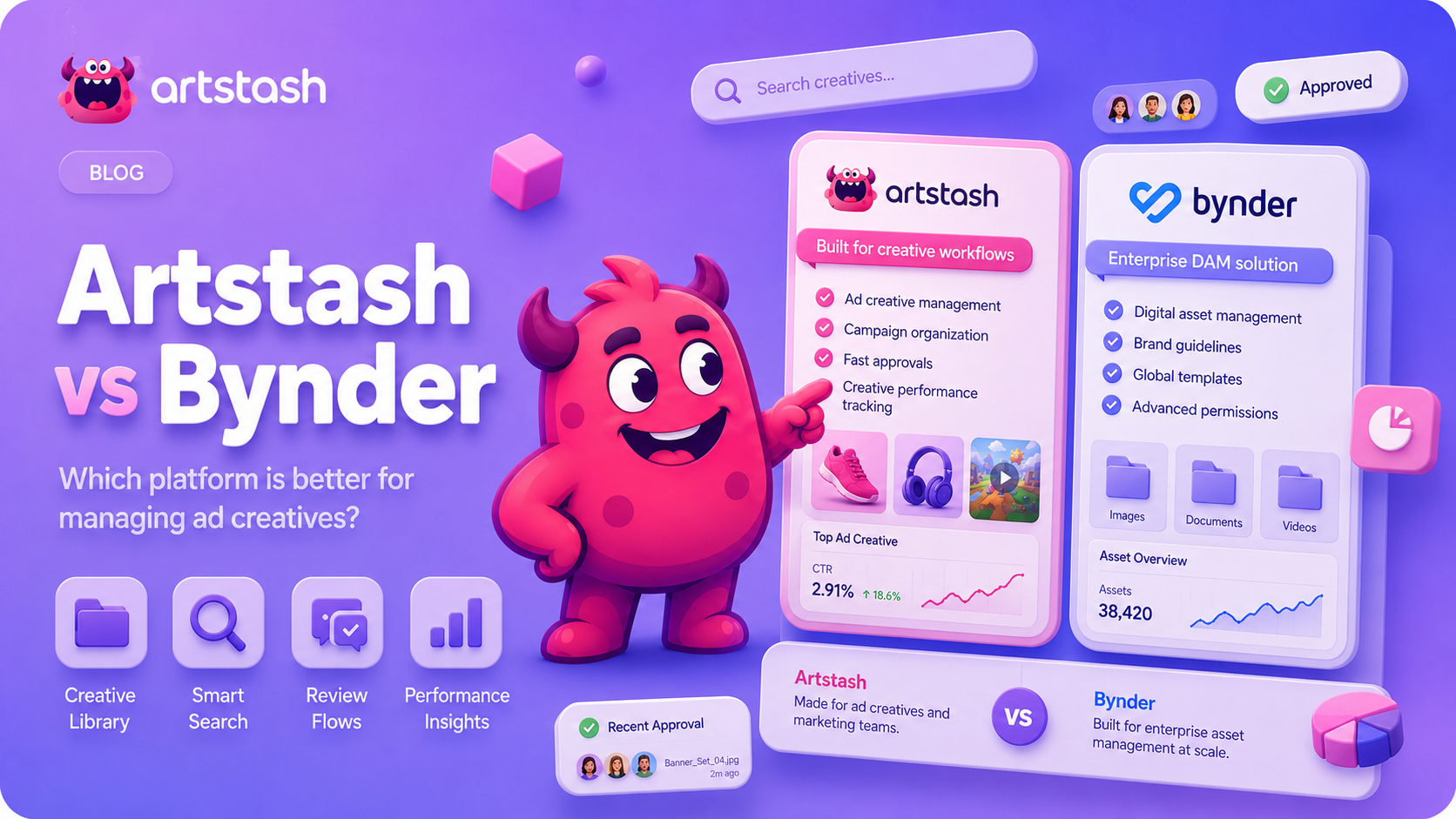
Artstash is built for game studios end to end — the production teams making 3D and layered 2D assets, and the UA and marketing teams turning those assets into ad creative. Bynder is an enterprise DAM for large consumer-brand marketing organisations, built to govern and distribute finished brand content at scale.
TL;DR: If your library holds Unreal
.uasset, Blender.blend, FBX, OBJ and PSD files in Perforce, Git, or cloud storage, and that same library feeds your ad creative and UA campaigns, Artstash covers both ends of the pipeline. If you are a global consumer brand distributing approved marketing content to hundreds of stakeholders across many channels, Bynder is built for that.
Both are digital asset management platforms, but they were built for different industries. See also our comparisons of Artstash vs Perforce Helix DAM and Artstash vs Frame.io.
On this page
- What Changed in 2026?
- Feature-by-Feature Comparison
- How Do They Handle 3D and Game Assets?
- How Do They Handle Version Control?
- What About Ad Creative and UA Campaigns?
- How Do Pricing and Contracts Compare?
- How Much Setup and Migration Does Each Require?
- Which Should Your Team Choose?
- Frequently Asked Questions
- Sources and Further Reading
What Changed in 2026?
This comparison was first published in July 2026 and is reviewed as both products ship. Here is what has moved since the original version, and what has not:
- August 2026 update: we added a dedicated version control comparison, and corrected our own 3D format coverage. Artstash previews 21 3D formats plus Unreal Engine
.uassetfiles, not the four originally listed here. - Bynder was named a Leader in The Forrester Wave™: Digital Asset Management Systems, Q1 2026 (announced February 2026) — a genuine signal of strength in the enterprise brand-content market it targets.
- Bynder went hard on agentic AI. It debuted an Agentic AI platform in September 2025 and launched a Brand Compliance Agent in December 2025, automating brand-guideline checks on enterprise content delivery.
- Bynder's Q2.1 2026 release moved AI Search to a multilingual model and added connectors for Sitecore AI, TransPerfect, Adobe Experience Manager, and Salesforce Marketing Cloud.
- 3D format support did not change. Bynder's 3D Model Viewer still supports GLB only, still sits in Asset Bank rather than the core DAM, and Bynder's documentation still directs users with other 3D formats to contact customer support. For studios working in FBX, OBJ or Unreal-native assets, the 2026 gap is the same as it was.
- Artstash widened its connector coverage, adding OneDrive in July 2026 and Dropbox and Box in May 2026, and shipped the QC Agent for automated ad-creative checks.
- Bynder pricing data was refreshed. Vendr's contract dataset, last updated February 2026, still puts the median annual contract at $41,417 across 76 recorded purchases.
Feature-by-Feature Comparison
| Feature | Artstash | Bynder |
| Primary audience | Game studios — production, UA, and marketing teams | Enterprise consumer-brand marketing teams |
| Ad creative management | Creative library, campaign organisation, approval flows | Brand asset distribution rather than UA creative |
| Creative approvals | Built for UA velocity — fast review cycles | Enterprise approval workflows |
| 3D preview | In-browser, 21 formats — FBX, OBJ, GLTF, GLB, DAE, STL, DXF, 3DS and Blender .blend among them | GLB only, via Asset Bank; other formats need a support request |
| Game engine assets | Unreal Engine .uasset previewed in-browser | Not supported |
| CAD interchange | STEP, IGES, DXF, BREP, IFC | Not supported |
| 2D preview | In-browser (PSD, PSB, AI, SVG, TIFF, EXR, TGA) | Standard image formats; layered source files not the focus |
| AI search | Search Agent learns your game's lore from your GDD and wiki | AI Search tuned to brand and marketing metadata; multilingual since Q2 2026 |
| Agentic AI | QC Agent and Search Agent, scoped to game assets and UA creative | Agentic AI platform and Brand Compliance Agent, scoped to enterprise brand governance |
| Version control | Perforce Helix Core, Git, Diversion | None |
| Cloud storage | Google Drive, Dropbox, Box, OneDrive | Within a 155+ app ecosystem |
| QC / compliance | QC Agent checks ad creative against your guidelines automatically | Brand guidelines, governed portals, Brand Compliance Agent |
| Omnichannel distribution | Not the focus | A core strength |
| Files move on setup? | No — assets stay where they are | Yes — assets migrate into Bynder |
| Setup time | Hours to days, self-serve | Weeks to months, with professional services |
| Pricing | Public flat monthly plans, unlimited users | Custom enterprise quote, billed annually |
Key takeaway: Artstash is a games-native DAM covering the whole pipeline, from source assets through to the ad creative running your UA campaigns. Bynder is a horizontal enterprise DAM for consumer brands outside gaming.
How Do They Handle 3D and Game Assets?
Artstash previews 21 3D formats in the browser — FBX, OBJ, GLTF, GLB, DAE, STL, PLY, DXF, 3DS, STEP, IGES and Blender's native .blend among them — plus Unreal Engine .uasset files, alongside layered 2D formats including PSD, PSB, AI, SVG, TIFF and EXR. An artist, producer, or UA manager can open a link and inspect a model or a layered source file without installing a DCC tool or a version control client.
The Unreal support is worth isolating. .uasset is the format an Unreal project actually stores its content in, and it is normally opaque outside the editor. Being able to preview one from a browser link is the difference between a producer seeing an asset and a producer asking an engineer to open the project.
The CAD interchange formats matter for a narrower but real case: studios working with hard-surface reference, licensed vehicle or architectural data, or partners who deliver in STEP, IGES or DXF rather than a games format.
Bynder's 3D viewer supports GLB, and it is part of Asset Bank rather than the core Bynder DAM. Bynder's own documentation directs users with other 3D formats to contact customer support. For a studio whose library is mostly FBX, OBJ or Unreal-native assets, that means converting assets before upload or handling 3D outside the DAM entirely.
How Do They Handle Version Control?
This is the clearest structural difference between the two products, and for a studio it is often the one that decides the outcome.
Game production runs on version control. Artists and engineers commit, branch and revert daily, and the assets that matter most live inside that system rather than beside it. The question is whether your DAM can read it, or whether it sits in a parallel world that somebody has to keep in sync by hand.
| Version control system | How Artstash connects | What your team gets |
| Perforce Helix Core | Connects to your existing depot and indexes assets in place | Browse and preview Perforce-managed assets in a browser — no P4V client, no local depot sync |
| Git (GitHub, Azure DevOps) | Connects to your repository, including LFS-tracked binaries | Preview game assets held in Git without cloning the repo |
| Diversion | Native integration with Diversion's game-first version control | Preview and search Diversion-managed assets alongside the rest of the library |
The principle is the same across all three: your files never move. Artstash indexes assets where your pipeline already puts them, so there is no migration, no duplicate copy in a second system, and nothing to keep in sync. Artists carry on committing to Perforce; the DAM layer simply makes what is in there visible to everyone else. Setup guides are in the knowledge base for Perforce, Git and Diversion.
Bynder offers no native version control integration. Version control does not feature in how the platform describes itself, and connecting a Perforce depot would mean a custom build against its API — engineering time upfront and ongoing maintenance after. For studios where production and marketing share assets, that gap creates a permanent operational split: production manages the source in Perforce, marketing manages copies in Bynder, and somebody reconciles the two.
What About Ad Creative and UA Campaigns?
This is where the two products diverge most sharply, and it is the part buyers most often get wrong.
A game studio's marketing problem is not brand distribution — it is creative throughput. UA teams ship hundreds of variants a month across Meta, Google, TikTok, and AppLovin, and every one has to be produced, reviewed, approved, and tracked before it goes live. Artstash is built around that loop: a creative library organised by campaign, review and approval flows designed for UA velocity rather than quarterly brand sign-off, and a QC Agent that checks each asset against your guidelines automatically before a human reviewer sees it. See our take on why creative approvals throttle UA velocity.
Because the same workspace holds your source assets, a UA manager can pull the original 3D model or layered PSD behind an ad without chasing an artist for it.
Bynder solves the adjacent problem well: 4,000+ customers, 155+ integrations, governed brand portals, usage analytics, and omnichannel delivery. If your challenge is that 300 regional marketers need self-serve access to on-brand assets with usage tracking, Bynder is purpose-built for that. But its model is migration-based and its stated focus industries are consumer brands, fashion, retail, food and beverage, healthcare, automotive, and media — gaming, 3D pipelines, game engines, and version control do not feature in how the platform describes itself.
How Do Pricing and Contracts Compare?
Artstash publishes its pricing openly. Creative Review is free forever; Studio Lite, Studio and Studio Plus are flat fees of $249, $799 and $2,499 per month, all with unlimited users — you are billed on storage and AI usage, not per seat. A custom Enterprise/AAA tier is available. See the Artstash pricing page. Annually that is roughly $2,990, $9,590 and $29,990, with no implementation fee, and paying annually saves 10%.
Bynder does not publish per-seat pricing; every deal is an enterprise quote billed annually. Third-party contract data from Vendr, across 76 recorded purchases and last updated February 2026, puts the median annual contract value at $41,417. Small deployments of 10–25 users on the core DAM commonly run $20,000 to $40,000 per year; mid-sized deployments $40,000 to $90,000; large ones often exceed $100,000. Implementation, migration, and training typically add a further 15–30% of first-year value.
In short: Bynder's entry-level range starts at roughly double Artstash's Studio plan before implementation costs, and its median contract sits above Artstash's highest published tier.
How Much Setup and Migration Does Each Require?
Pricing is only half the cost. The other half is how long the platform takes to become useful, and what has to move before it does.
Artstash is additive. You connect the storage and version control you already use, Artstash indexes what is there, and the library becomes searchable in the background. There is no bulk migration because nothing moves. Most studios are running within hours to days, self-serve, with no implementation fee and no professional services engagement.
Bynder is migration-based. Assets live in Bynder's own system, so adopting it means planning and executing a migration of your existing library, mapping your folder and metadata structure onto Bynder's taxonomy, configuring portals and permissions, and training the team on a new interface. Enterprise customers typically work with a dedicated implementation team, and implementation adds 15–30% of first-year contract value.
For a studio with terabytes of production assets already sitting in Perforce and cloud storage, that migration is a project in its own right — before the platform has done anything useful. Which model suits you depends less on budget than on timeline and appetite for a cutover.
"Every studio we talk to has the same split: the art team's assets live in Perforce, and the UA team's creative lives somewhere else entirely. Enterprise DAMs solve the second half and ask you to migrate everything to get it. We built Artstash so you don't have to choose — the source files stay where your pipeline already puts them, and the ad creative built from them sits in the same workspace."
— Nick Gibbons, Founder, Artstash
Which Should Your Team Choose?
Choose Artstash if:
- You make games, and the same asset library serves both production and UA creative
- Your library includes Unreal
.uasset, Blender.blend, FBX, OBJ or other 3D source files that people need to preview without opening a DCC tool or the engine - You take delivery of CAD interchange formats — STEP, IGES or DXF — from partners or licensors
- Your assets live in Perforce, Git, Diversion, or cloud storage and you do not want to migrate them
- Your UA team ships creative at volume and approval cycles are the bottleneck
- You want to start free and see value in days rather than run a procurement cycle
Choose Bynder if:
- You are a large consumer brand outside gaming
- You need a governed brand portal for a distributed marketing organisation
- Omnichannel distribution, usage analytics, and templated content creation are core requirements
- You have the budget and procurement process for an enterprise contract plus implementation
Frequently Asked Questions
What is the main difference between Artstash and Bynder?
Artstash is a DAM for game studios, covering both production assets — 3D and layered 2D files across version control and cloud storage — and the ad creative their UA teams run. Bynder is an enterprise DAM for consumer-brand marketing teams, built to govern and distribute finished brand content at scale.
Does Artstash preview Unreal Engine .uasset files?
Yes. .uasset is among the formats Artstash previews directly in the browser, alongside Blender .blend files and 20 other 3D formats. Bynder's 3D viewer supports GLB only, so an Unreal-native asset cannot be previewed there without converting it first.
Does Artstash support CAD formats like STEP, IGES and DXF?
Yes. STEP, IGES, DXF, BREP and IFC are all previewed in the browser alongside the games formats, which matters if you take delivery of hard-surface reference, vehicle or architectural data from partners. Bynder does not support CAD interchange formats.
Does Bynder integrate with Perforce, Git or Diversion?
No. Bynder has no native version control integration; connecting a Perforce depot would require a custom build against its API. Artstash connects to Perforce Helix Core, Git and Diversion directly and indexes assets in place, so nothing has to move.
Can Artstash manage ad creative for user acquisition?
Yes. Artstash organises ad creative by campaign, supports review and approval flows built for UA velocity, and its QC Agent checks each asset against your brand guidelines automatically before it goes live. Because source assets live in the same workspace, UA teams can reach the original model or layered file behind any ad.
Does Bynder support FBX and OBJ files?
Bynder's 3D model viewer supports GLB, and it is part of Asset Bank rather than the core Bynder DAM. Bynder's documentation advises contacting customer support for other 3D formats. Artstash previews FBX, OBJ and 19 other 3D formats in the browser without conversion.
How much does Bynder cost compared to Artstash?
Bynder is quote-based, with third-party data showing a median annual contract of about $41,000 and small deployments running $20,000 to $40,000 per year, plus implementation fees of 15–30% of first-year value. Artstash publishes flat pricing: free for Creative Review, $249 per month for Studio Lite, $799 for Studio and $2,499 for Studio Plus, all with unlimited users and no implementation fee.
Does Bynder's agentic AI close the gap for game studios?
Not for the parts that matter to a game pipeline. Bynder's Agentic AI platform and its Brand Compliance Agent, launched in late 2025, automate brand-guideline enforcement on enterprise content — strong work, aimed at governing finished marketing assets. They do not change what formats the DAM can preview, and Bynder still supports GLB only for 3D. A studio's FBX and Unreal problem is unaffected by it.
Bynder is a Forrester Wave Leader — should that settle it?
It should carry real weight if you are the buyer Forrester evaluated: an enterprise marketing organisation governing brand content at scale. Bynder earned Leader status in The Forrester Wave™: Digital Asset Management Systems, Q1 2026, and that reflects genuine strength in that market. It is not an assessment of how well a platform handles game engines, version control, or 3D source formats, so it should not be the deciding input for a studio.
Can a studio run Artstash and Bynder together?
Yes, and some larger publishers do. A common split is Bynder as the corporate brand portal for the wider marketing organisation, with Artstash handling the production pipeline and UA creative where 3D formats, version control, and approval velocity matter. Because Artstash indexes assets in place rather than migrating them, adding it alongside an existing DAM does not require moving anything.
Is Artstash an alternative to Bynder for a game studio?
For most game studios, yes. The formats game teams work in, the version control systems they use, and the ad creative volume their UA teams produce are all central to how Artstash is designed and largely outside Bynder's stated focus.
Sources and Further Reading
- Bynder pricing and contract data — Vendr (76 recorded purchases; last updated February 2026)
- Enable 3D Model Viewer in Asset Bank — Bynder Support (GLB format support)
- Bynder Q2.1 2026 Release Notes (AI Search, new connectors)
- Bynder newsroom (Forrester Wave Q1 2026, Agentic AI platform, Brand Compliance Agent)
- Supported file types in Artstash (full format list)
- Artstash pricing
Last updated 3 August 2026. Bynder pricing figures come from third-party contract data (Vendr, 76 recorded purchases, last updated February 2026) and Bynder's published documentation; Bynder does not publish list pricing. Product claims are sourced from Bynder's support documentation and newsroom as of August 2026, and from the Artstash knowledge base. Verify current pricing directly with each vendor.