
How to Manage and Revoke Shared Links
Quick answer: Open a workspace and click Shared Links in the top right. Find the link in the table and switch off the toggle in the Enabled column to revoke access.
Share links are easy to create, which means they are easy to forget about. A link made for a review round in January is still live in June unless somebody switches it off. The Shared Links page is where you keep that under control.
Finding your shared links
1. Open the workspace
Click the workspace in the left sidebar. Shared links are listed per workspace, so check each workspace that has been used for external sharing.
2. Click Shared Links
The Shared Links button sits in the top right of the workspace view, next to the link icon. It is also available from inside a project.
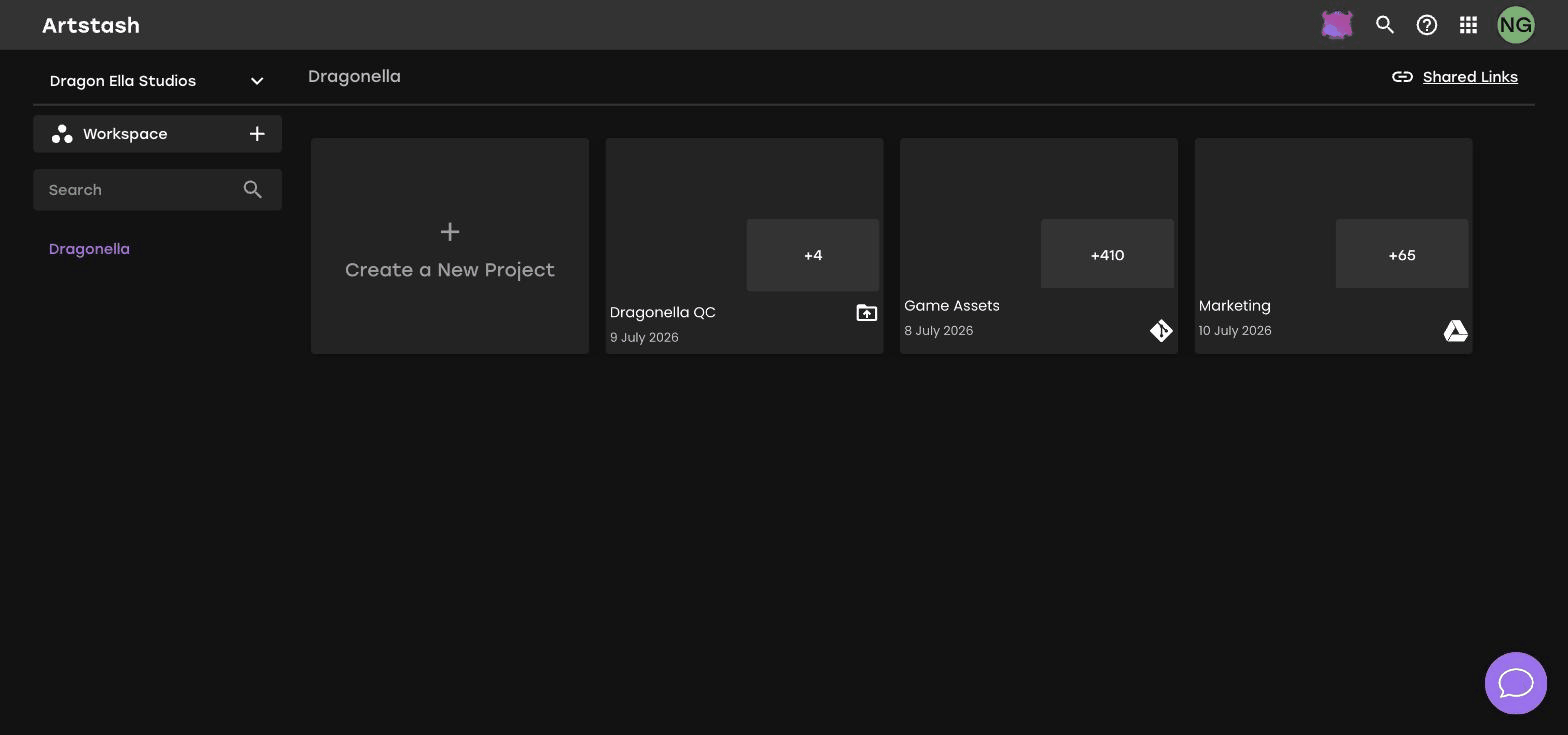
Reading the Shared Links table
The table lists every link created in the workspace, with these columns:
- Name — the asset the link points to.
- Link — the share URL.
- Copy link — copies the URL to your clipboard so you can resend it.
- Creator — who created the link, with their email address.
- Created date — when it was created.
- Enabled — a toggle controlling whether the link works.
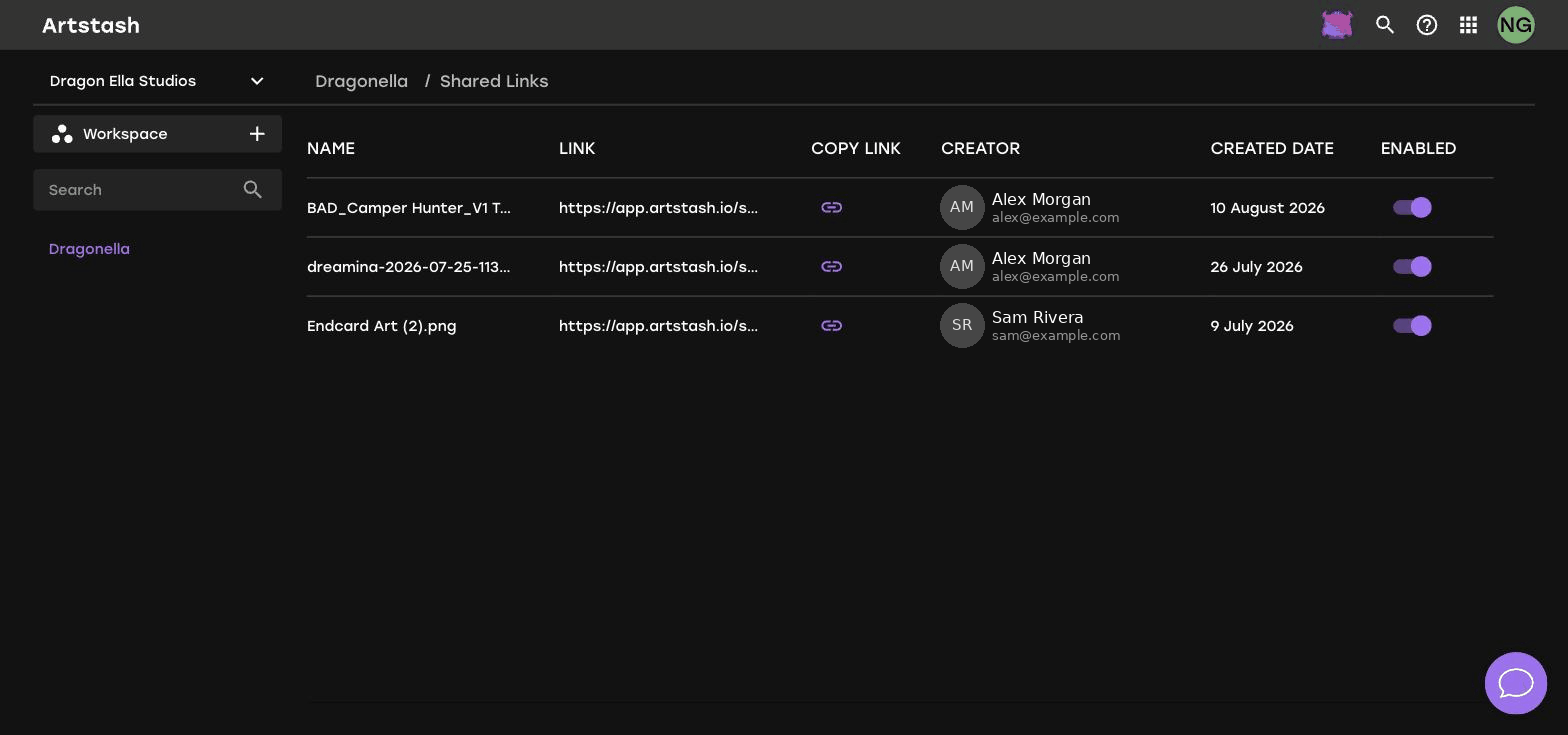
Revoking access
Find the link in the table and switch off the toggle in the Enabled column. The link stops working straight away, and anyone who tries to open it will no longer reach the asset.
Disabling a link does not delete anything. The asset, its comments and its versions are untouched — you are only removing external access.
A routine worth adopting
- At the end of every project, open Shared Links and disable anything created for that project.
- When someone leaves the team, sort by creator and review the links they created.
- Before an announcement, check that links to embargoed material are switched off or watermarked.
- Quarterly, review the oldest links in the list. Anything older than a live project is a candidate for disabling.
Frequently asked questions
How do I revoke a share link in Artstash?
Open the workspace, click Shared Links, and switch off the toggle in the Enabled column for that link.
Can I see who created a share link?
Yes. The Shared Links table shows the creator's name and email address alongside the date the link was created.
Does disabling a share link delete the asset?
No. Disabling a link only removes external access. The asset, its versions and its comments are unaffected.


