Artstash Knowledge Base

The Artstash Knowledge Base is the official documentation for Artstash, an AI-powered digital asset management (DAM) platform for game and video teams. It contains 25 step-by-step guides covering four things: connecting your storage or version control (Google Drive, Dropbox, Box, OneDrive, Git, Perforce Helix Core and Diversion), uploading and organising assets, running review and approval workflows, and managing workspaces, users and permissions. New to Artstash? Start with the beginner guide, create a workspace, then connect your first source. Browse all articles below or search for a specific task. Maintained by the Artstash team. Last updated 10 September 2026.
New to digital asset management? Start with our complete guide: What is AI asset management? Or see how Artstash compares to other tools in Artstash vs Air and the plan comparison.
All Articles
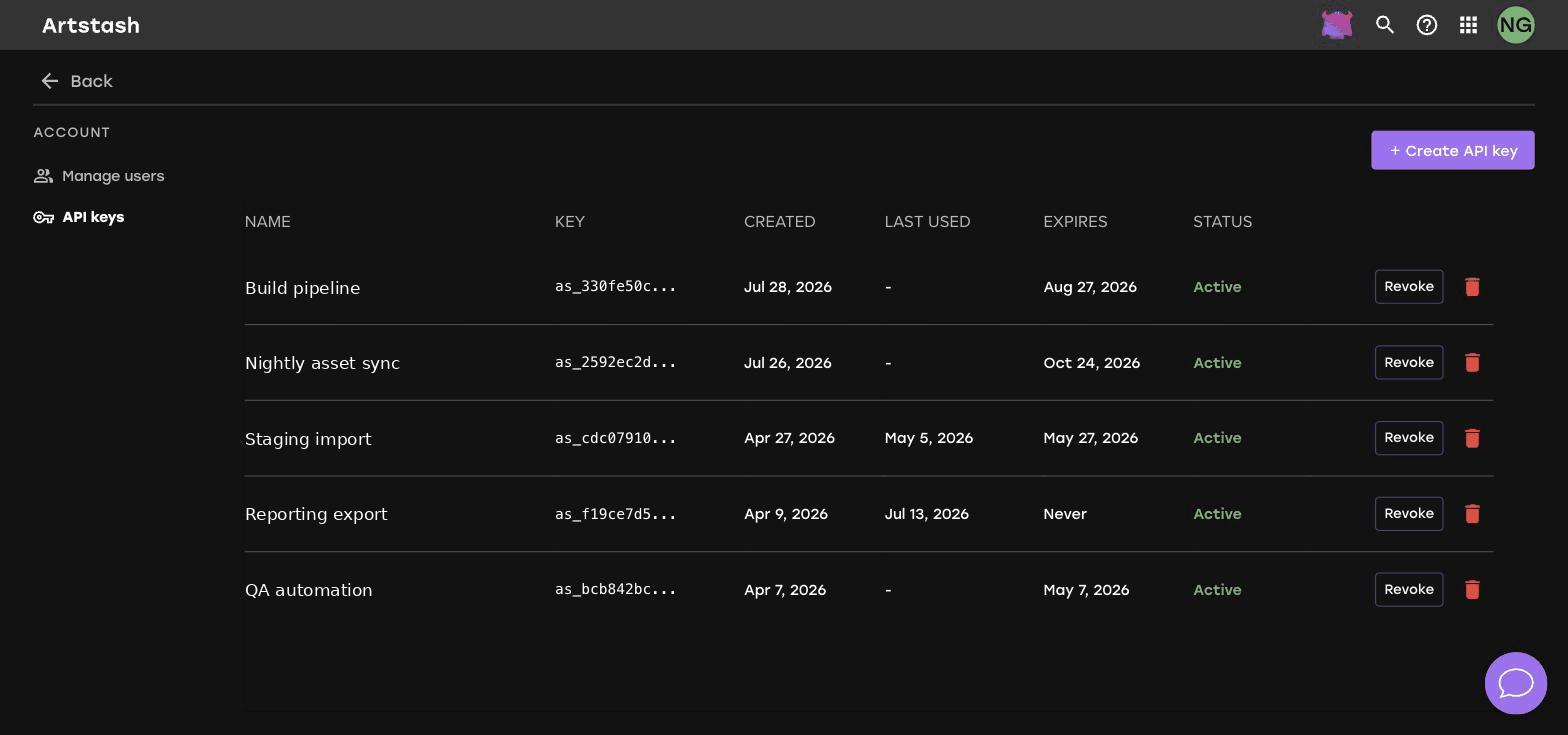
How to Create and Revoke API Keys in Artstash
Learn how to create an API key in Artstash, read the key management table, and revoke a key when it is no longer needed or may have been exposed.
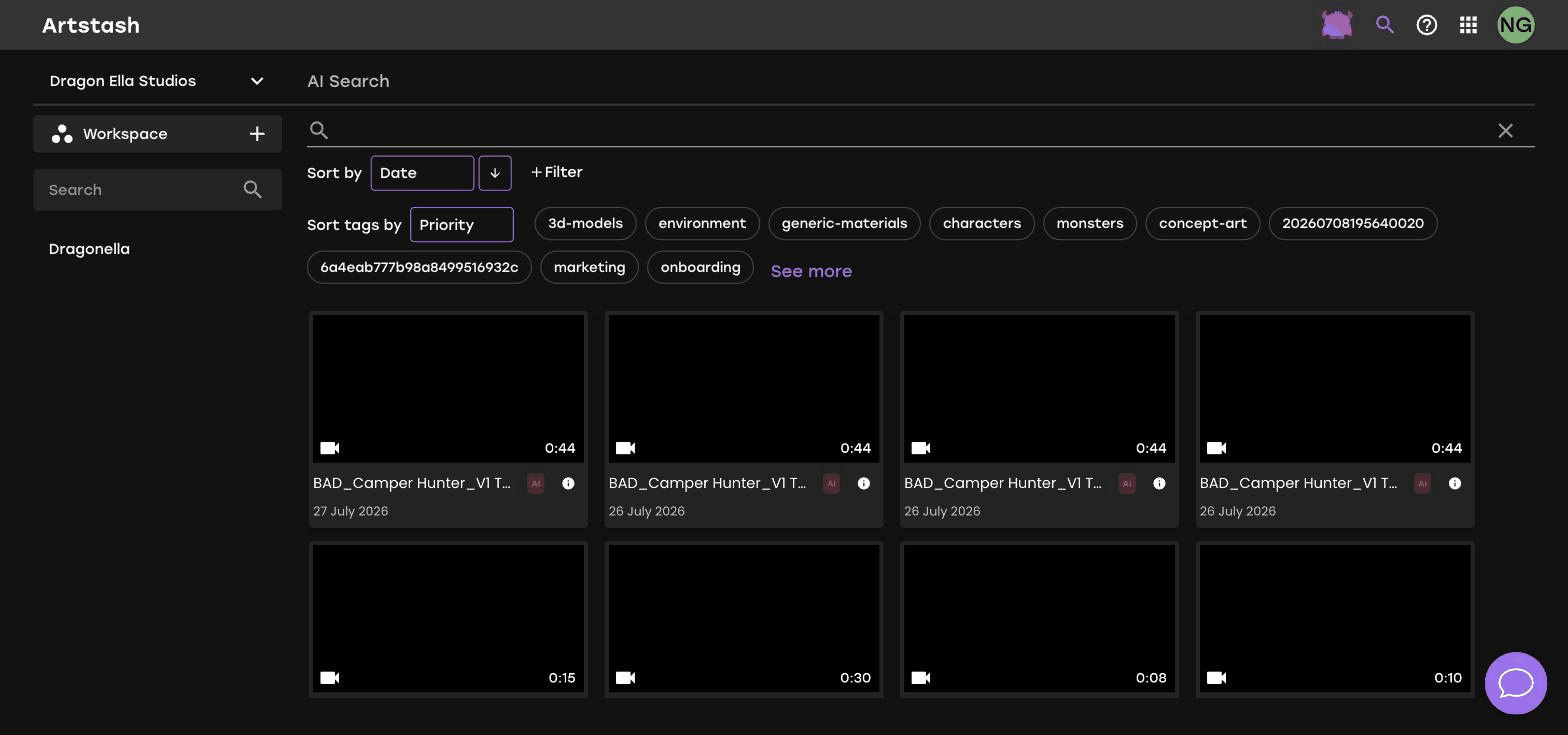
How to Use AI Search to Find Assets in Artstash
Learn how AI Search in Artstash finds assets by what they contain rather than what they are called, and how to narrow results with filters and tags.
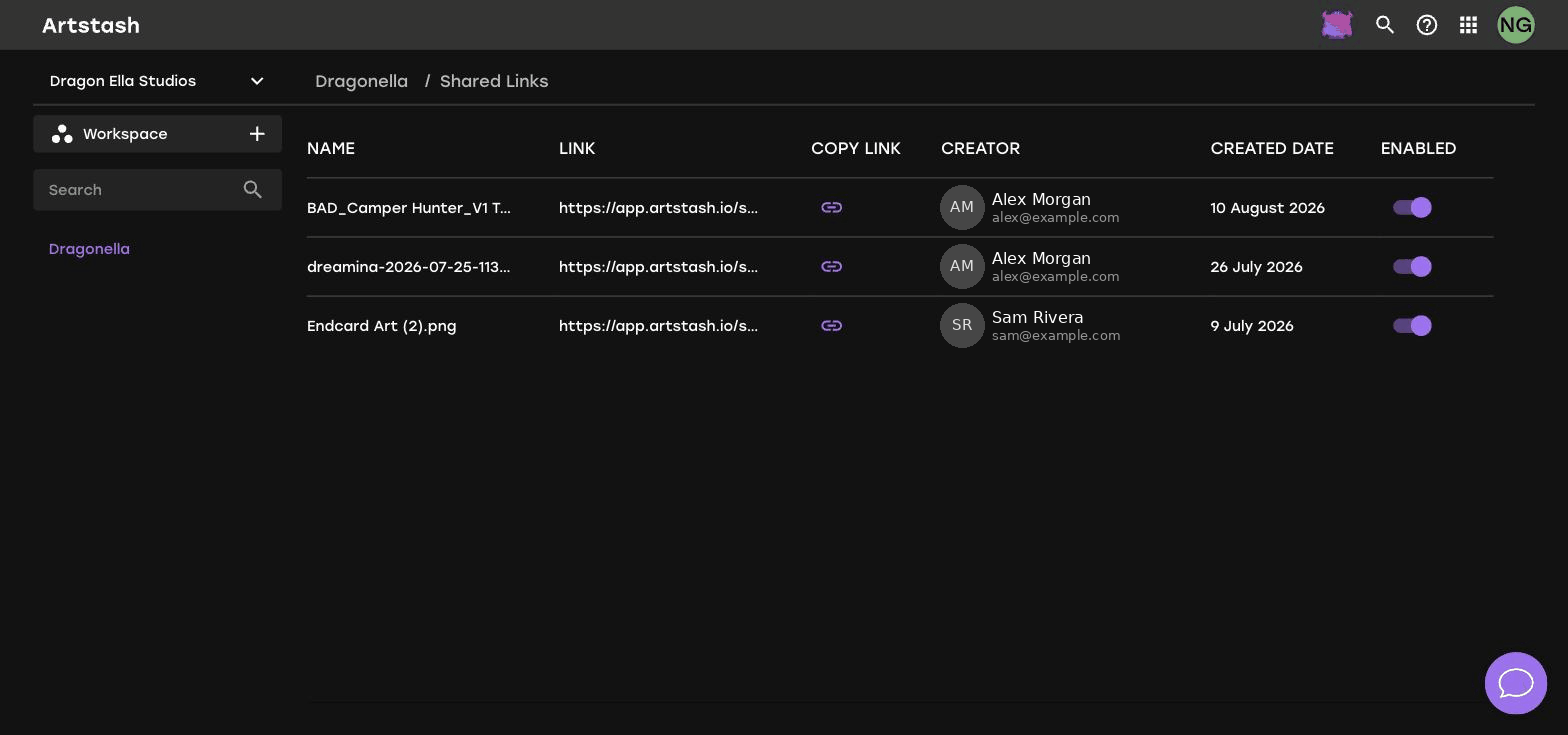
How to Manage and Revoke Shared Links
Learn how to review every share link in an Artstash workspace, see who created each one, and switch off access when a link is no longer needed.
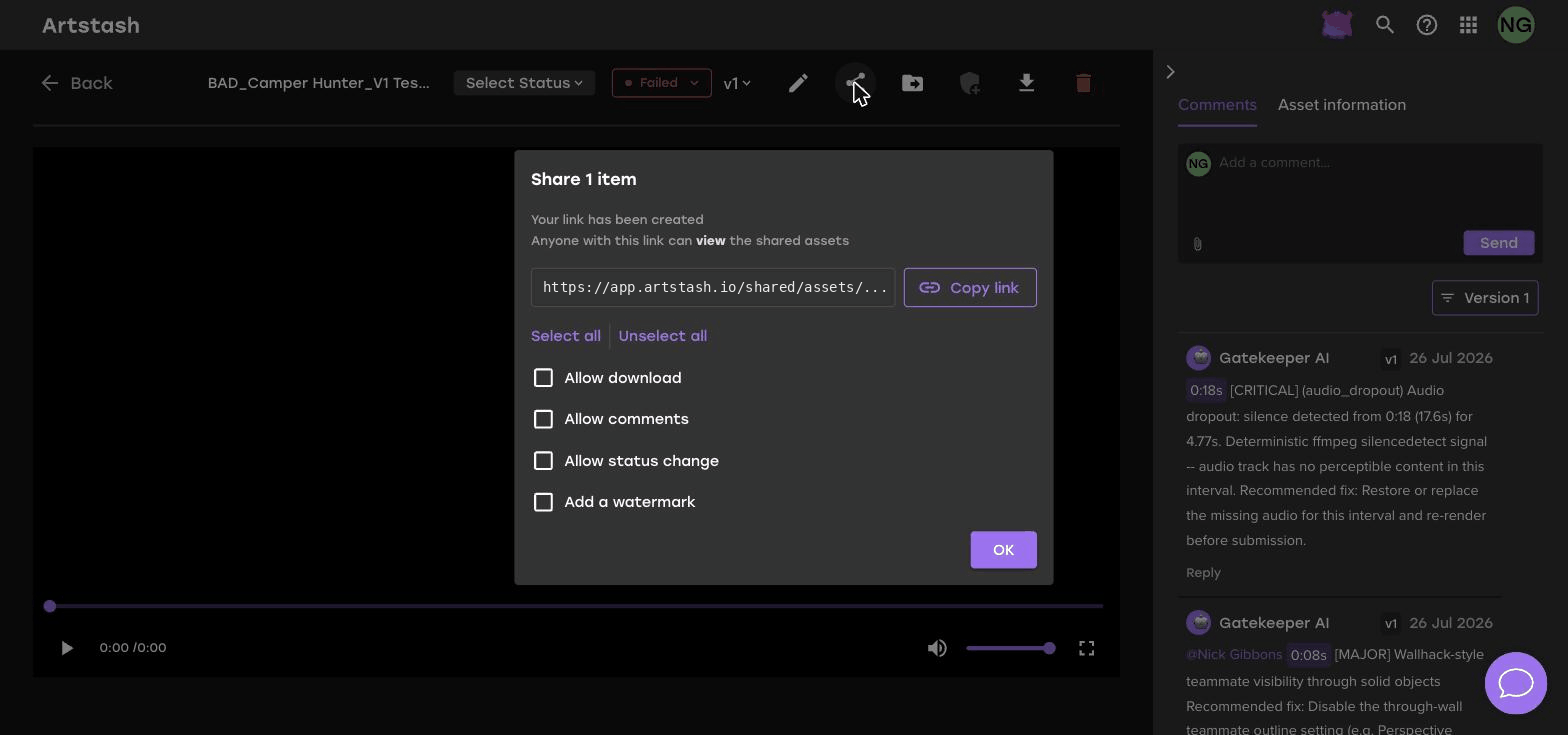
How to Share Assets Externally with Share Links
Learn how to create a share link in Artstash and control whether recipients can download, comment, change status, or see a watermark on your assets.
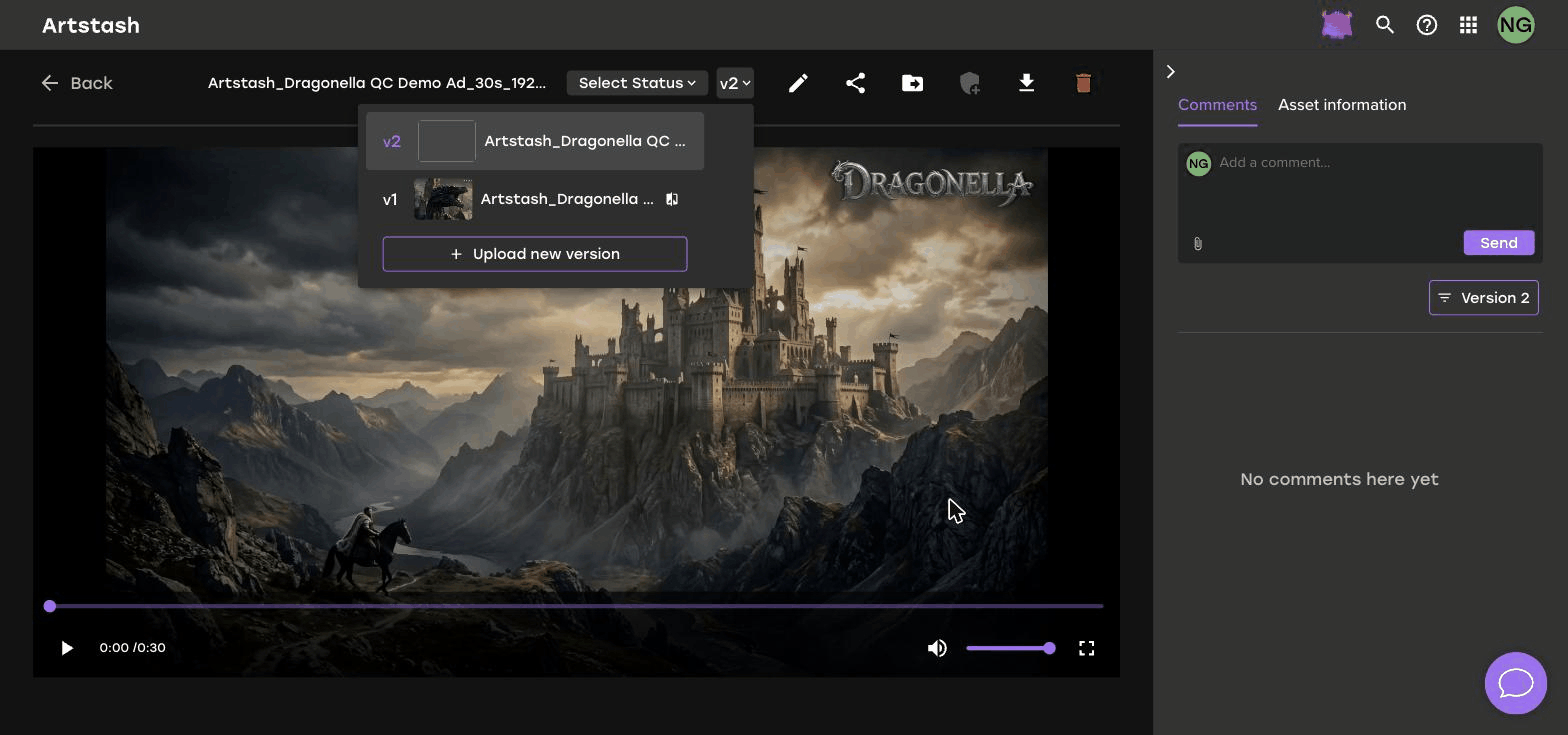
How to Work with Asset Versions in Artstash
Learn how asset versions work in Artstash, how to switch between them in the preview, and how version-specific comments keep review feedback organised.
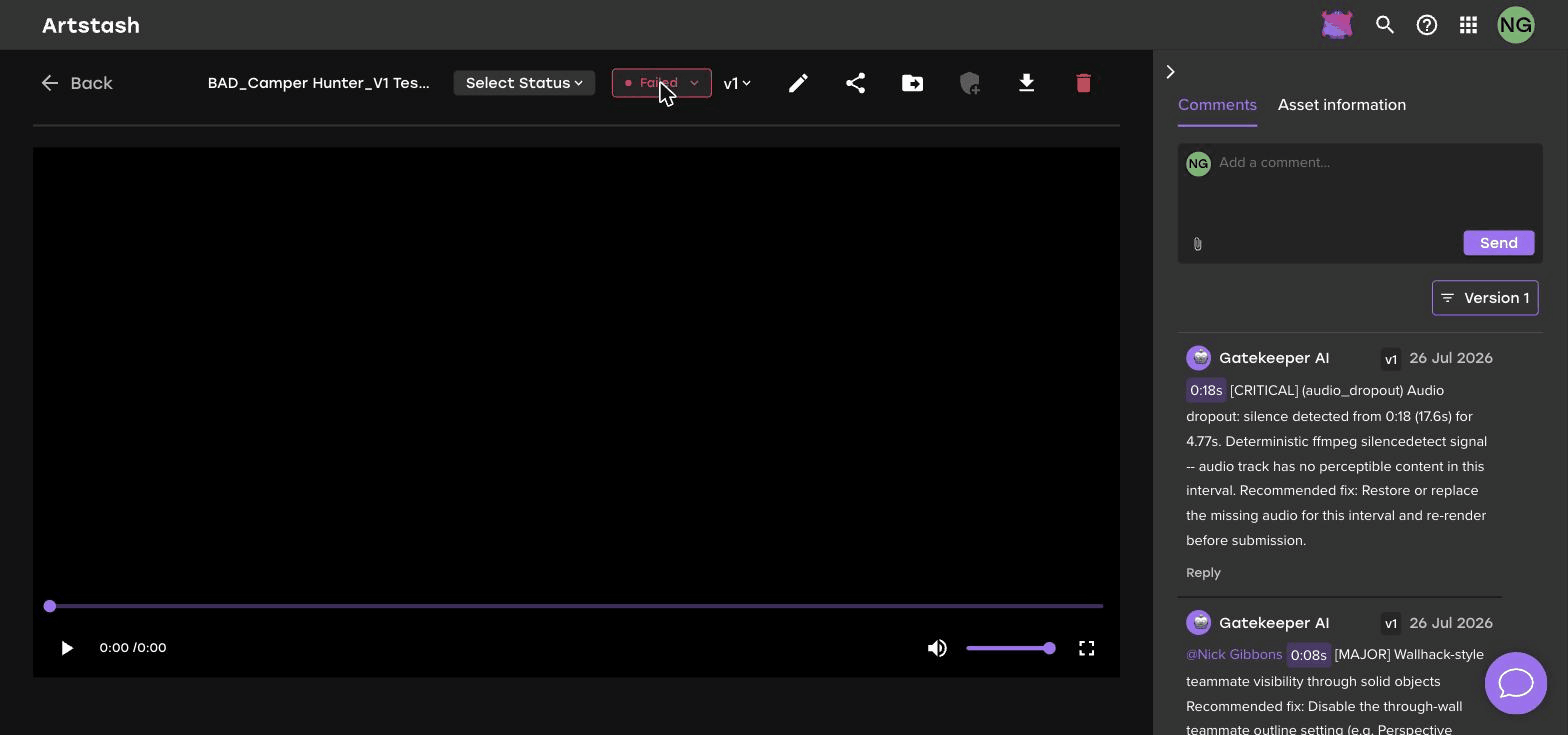
How to Comment on Assets and Give Feedback
Learn how to leave comments on assets in Artstash, attach reference files to your feedback, and keep review notes tied to the right asset version.
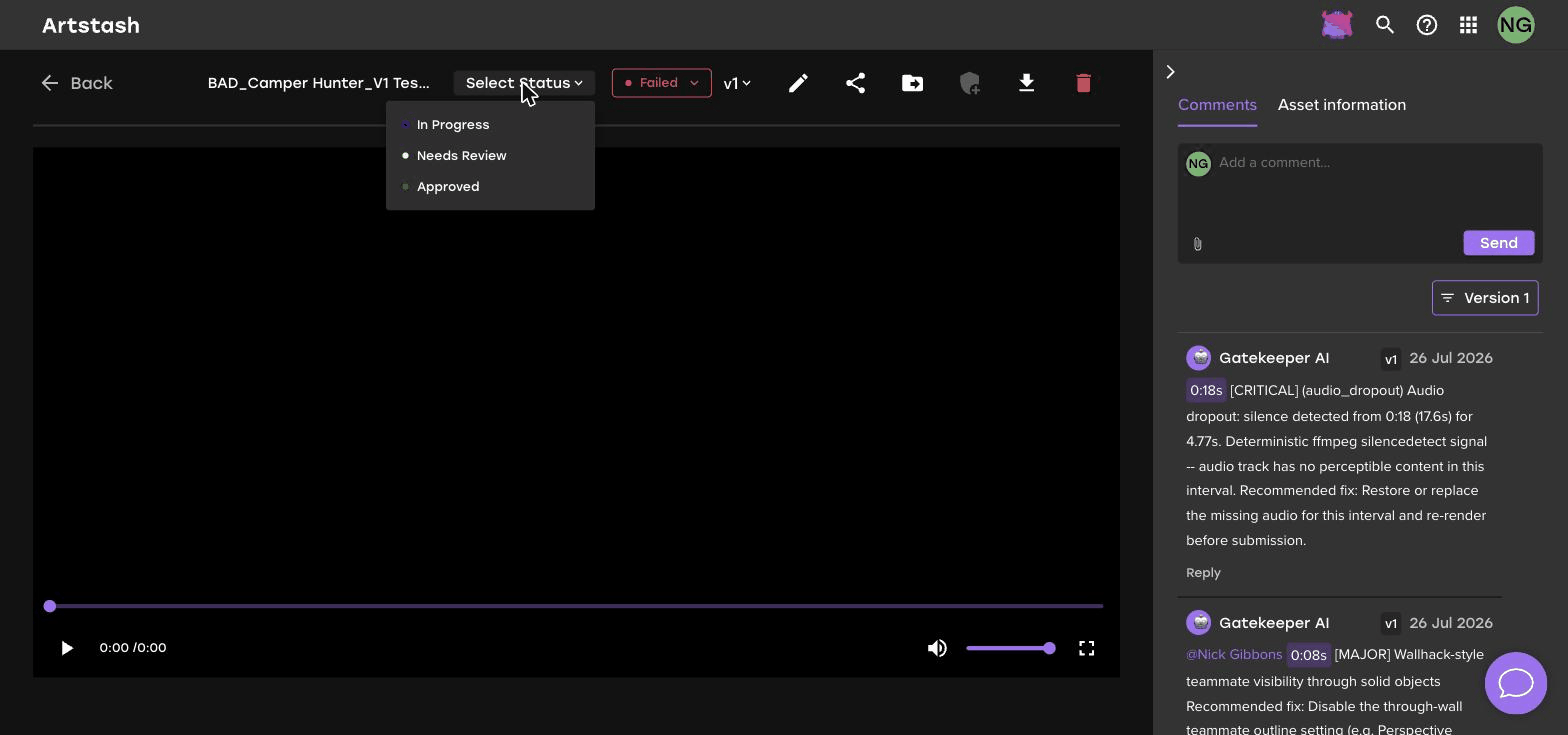
Understanding Asset Review Statuses in Artstash
Learn how In Progress, Needs Review and Approved statuses work in Artstash, how to set them, and how to use them to run a clear review process.
How to Connect Box to Artstash: Sync and Preview Assets
Connect Box to Artstash to give your team visual previews, automatic tagging, and fast search across creative assets. Simple sync setup guide.
How to Connect Dropbox to Artstash: Sync and Preview Assets
Connect Dropbox to Artstash to turn shared folders into a searchable, visual asset library with 2D and 3D previews. Quick setup guide inside.
.png)
How to Connect OneDrive to Artstash: Sync and Preview Assets
Connect Microsoft OneDrive to Artstash to preview, tag, and search your creative assets in the browser. Step-by-step sync guide for teams.
.png)
How to Upload a Zip File to Your Project
This quick guide shows you how to use the uploader to add compressed archives from your computer or Google Drive with a simple drag-and-drop.
How to Manually Upload Assets to Your Project
Learn how to manually upload files from your computer, using the convenient drag-and-drop feature, to your Artstash project in a few simple steps.
How to Rename a Project in Your Artstash Workspace
This guide demonstrates how to rename a project in your Artstash workspace. This process allows you to keep your projects labeled and your workspace organized.

How to Create a New Workspace in Artstash: Step-by-Step
Creating a workspace is the essential first step for organizing your projects and syncing your creative assets. This quickstart guide shows you how.

How to Rename a Workspace in Artstash: Quick Guide
Keeping your workspaces properly named is an easy way to maintain an organized and efficient project dashboard. Learn how in this guide.
Connect Google Drive to Artstash
The integration enables high-fidelity, in-browser previews for specialized file formats and intelligent search, making your assets instantly discoverable.
How to Connect Perforce Helix Core to Artstash - Step-by-Step Guide
This integration gives team members a user-friendly interface to visually browse, preview, and collaborate on versioned assets without needing to use P4V.
How to Connect a Git Repository to Artstash (GitHub, Azure DevOps)
This guide shows you how to sync your Git repository from platforms like GitHub or Azure DevOps with your Artstash account.
Connecting Diversion Version Control to Artstash
By connecting Artstash to Diversion, you unlock powerful in-browser previews and collaborative tools for all the assets managed in your workspace.

How to Tag and Organise Assets in Artstash
Master asset organization in Artstash by learning how to use tags to categorize files, enhance search efficiency, and improve team collaboration.

Supported File Types in Artstash
Manage all your creative assets in one place. View the complete list of file types supported by Artstash for game and video production.

How to Use Filtering in Artstash
This guide explains how to filter by media type, resolution, tags, project, and more. Combine multiple filters to quickly locate the exact files you need.

Share, Download, and Move Assets
Learn how to download assets, move them between standard projects, and share entire projects with specific permissions.

Admin Role and User Role Permissions in Artstash
This guide outlines the specific permissions for Admin and Regular user roles, from inviting and removing users to creating workspaces and managing assets.

Beginner Guide: Understanding the Artstash UI
Start here with our beginner's guide to Artstash. Learn how to navigate your main dashboard, create and manage workspaces, invite team members, and more.
Frequently asked questions
What is the Artstash Knowledge Base?
A library of step-by-step guides for setting up Artstash, connecting your storage or version control, uploading and organising assets, and managing workspaces, users, and permissions.
What can I connect Artstash to?
Artstash syncs with Google Drive, Dropbox, Box, OneDrive, Git (GitHub and Azure DevOps), Perforce Helix Core, and Diversion — indexing your assets where they already live, without moving files.
What file types does Artstash support?
Artstash previews 57 formats in the browser: 18 image, 18 video, 19 3D, plus PDF and Unreal Engine .uasset. These include FBX, OBJ, GLTF, GLB, STL, STEP, PSD, PSB and AI. Native Blender .blend files are not previewed — export to FBX, OBJ, GLTF or GLB instead. See the Supported File Types guide above for the full list.
Is Artstash free to try?
Yes. Artstash has a free plan, and creative review is free to sign up and use. See the
pricing page for the Studio and Studio Plus plans.
How do I get help if I'm stuck?
Visit the
Support page or reach out via the in-app chat — the Artstash team responds to every message.


